- Buy or Renew : +1 855-673-5515
- Support





how to update sound drivers – Keep Your Audio Smooth
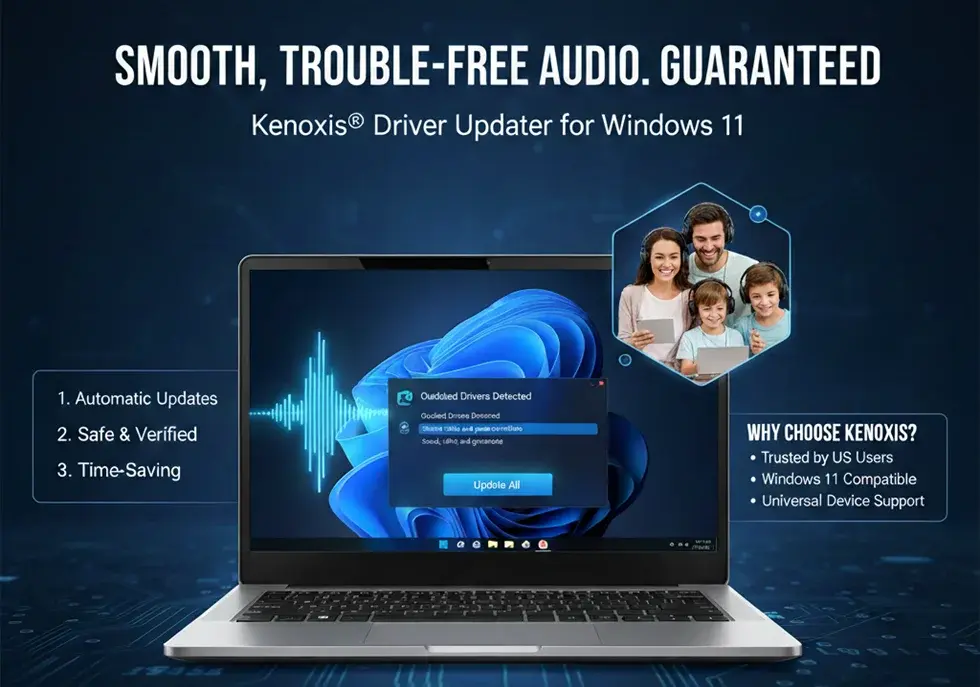
Regularly How to update sound drivers is essential for smooth, trouble-free audio on your Windows 11 PC. Outdated drivers can cause distorted sound, unrecognized devices, or malfunctioning microphones and speakers. With Kenoxis Driver Updater, updating drivers is simple, automatic, and safe—even for beginners.
Summary
This guide explains why updating sound drivers on Windows 11 is essential, how to check current driver versions using Device Manager, and how to use Kenoxis Driver Updater to install verified updates automatically. You’ll also learn best practices to keep audio drivers optimized and why Kenoxis is trusted by users in the US.
Why Audio Drivers Need to Be Updated
Audio drivers allow Windows 11 to communicate effectively with your sound hardware. Outdated drivers can cause:
- Poor or distorted audio
- Microphones or speakers not working
- Audio devices not recognized by apps
Keeping your drivers up to date prevents these issues. Kenoxis Driver Updater automatically updates all sound drivers, ensuring system compatibility and delivering smoother, more reliable audio performance.
How to Find Out the Sound Drivers in Windows 11
Follow these steps to check your sound drivers and confirm their current versions:
- Press Windows + X → select Device Manager
- Expand Sound, video, and game controllers
- Right-click your audio device → Properties
- Open the Driver tab
- Note the driver version and installation date
This helps confirm whether a sound driver update is required.
How to Use the Kenoxis Driver Updater for Sound Driver Updates
Updating sound drivers with Kenoxis Driver Updater is quick and easy:
- Download and install Kenoxis Driver Updater from the official product page
- Open the program and click Scan Now
- The software detects outdated sound drivers on your PC
- Click Update All to install the latest drivers automatically
Or if you want to compare tools before choosing, you can check our Driver updater software comparison
Advantages of Utilizing Kenoxis Driver Updater
- Automatic Updates: Eliminates the need to search for drivers manually
- Safe & Verified: Only canonical, manufacturer-approved drivers are installed
- Comprehensive Coverage: Supports all major sound devices
- Time-Saving: Update multiple drivers with a single click
Kenoxis Driver Updater is ideal for users who depend on multiple audio devices and want their system to remain fully optimized.
The Most Common Questions Regarding Sound Driver Updates
Here are the most frequently asked questions by users in the US:
Q1. How often should I update my sound drivers?
Ans: To ensure all drivers stay updated, we recommend running a complete system scan weekly with Kenoxis Driver Updater.
Q2. Can I update drivers without being tech-savvy?
Ans: Certainly. Kenoxis Driver Updater is designed for beginners and works fully automatically, with no manual downloads required.
Q3. Do you provide a free trial version?
Ans: Yes, a free trial is available. You can scan and detect outdated drivers at no cost before upgrading to the premium version for full updates.
Steps to Keep Audio Drivers Optimized
- Install Kenoxis® Driver Updater from the Product page of Kenoxis Driver.
- Run weekly scans to identify outdated drivers
- Update all drivers with one click
- Restart your PC after updates to apply changes
- Check Device Manager occasionally to confirm driver versions
By following these steps, your PC will maintain consistent, high-quality audio performance.
Why Kenoxis Driver Updater Is the Best Choice in the US
- Fully compatible with Windows 11
- Optimized for US users with local server support
- Universal solution for major audio devices
- Saves time and prevents errors compared to manual updates
With Kenoxis, searching for drivers online or risking incorrect installations is no longer necessary.
Conclusion
Updating your sound drivers is crucial for a reliable Windows 11 experience. With Kenoxis Driver Updater, updates are fast, safe, and automatic. Download Kenoxis Driver Updater now to instantly update all your sound drivers and enjoy smooth, high-quality audio.
Whether you’re a casual user or a professional, Kenoxis keeps your system equipped with the latest drivers—enhancing both audio quality and overall performance.
Most Popular

Best Antivirus for Computer Protection in 2026: How to Stay Safe from Hackers
16 Feb 2026

Complete Online Protection with KenoxisAV Antiviruses
15 Jan 2026
.png)
What is Antivirus Software? | Definition from KenoxisAV
12 Jan 2026

Antivirus 101: How to Keep Your Devices Safe in a Digital World
30 Dec 2025

The Future of Antivirus: What Windows 10 Users Need to Know in 2025
13 Jun 2025
.png)
How to Choose the Right Antivirus Software for Your Needs
09 Apr 2025

How to Use Windows Security for Virus & Threat Protection (2025 Guide)
07 Apr 2025
.png)
Antivirus Uncovered: How It Works and Who Needs It
28 Mar 2025

Best Antivirus for Windows 10 in 2025: Top Picks (Including Kenoxisav)
07 Mar 2025
.png)
Why Antivirus Software is Essential for Online Security in 2025
19 Feb 2025